Details
-
Type
-
Tool
-
How to get it
-
External page (no file hosted here)
-
Version
-
1.1.1
-
Compatibility
-
x4
-
Contributor
-
Xatpy
-
Submitted
-
February 4, 2026
Send to X4 (browses extension) — Send web articles to Xteink X4 as EPUB
About this resource
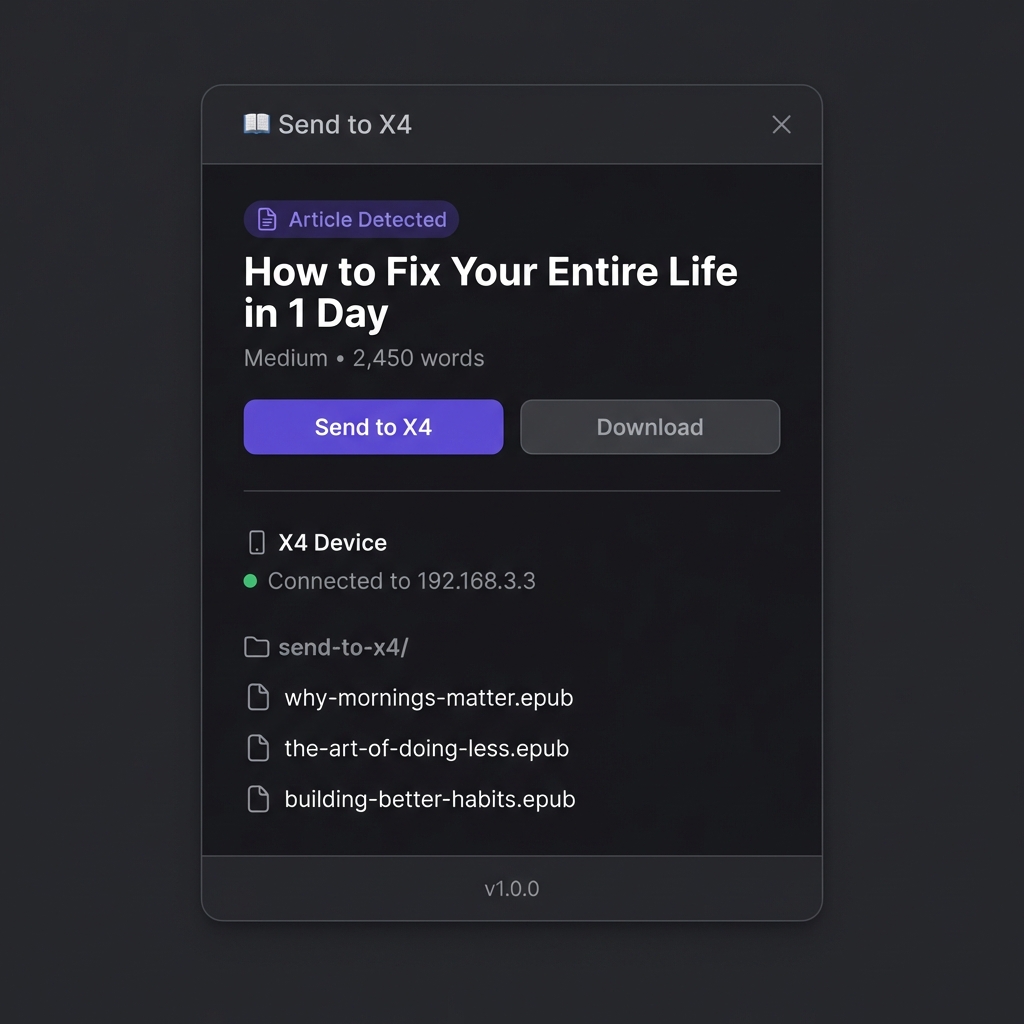
Send to X4 is a Chrome and Firefox extension that converts long-form web articles into clean EPUB files and uploads them directly to the Xteink X4 over its WiFi hotspot.
Local-first: no accounts, no cloud, no tracking. Uses Readability to strip clutter and generate a clean layout for distraction-free reading
Get credit on your member profile
Log in or join the club to link future resource submissions to your public member ID — just like wallpapers.
Are you the author?
If this resource is yours, you can ask to be listed as the contributor on this page (same process as firmware maintainers). Member #001 receives the request.
Installation Instructions
Browser: Google Chrome + Chromium-based (Edge, Brave, Arc, etc.) or Firefox
• Device: Xteink X4 (WiFi hotspot file transfer)
• Content: Long-form articles (text-focused; images not included)
Installation Instructions
Copia y pega:
1. Install the extension from the Chrome Web Store (link is on the project page).
2. Open a long-form article while connected to the internet.
3. Switch your computer WiFi to the Xteink X4 hotspot.
4. Click the extension icon and press Send to X4.
Known Issues
Text-focused output; images are not included.