Details
-
Type
-
Tool
-
How to get it
-
External page (no file hosted here)
-
Contributor
-
zgredex
-
Submitted
-
March 3, 2026
Baseline JPEG Converter / EPUB Optimizer
About this resource
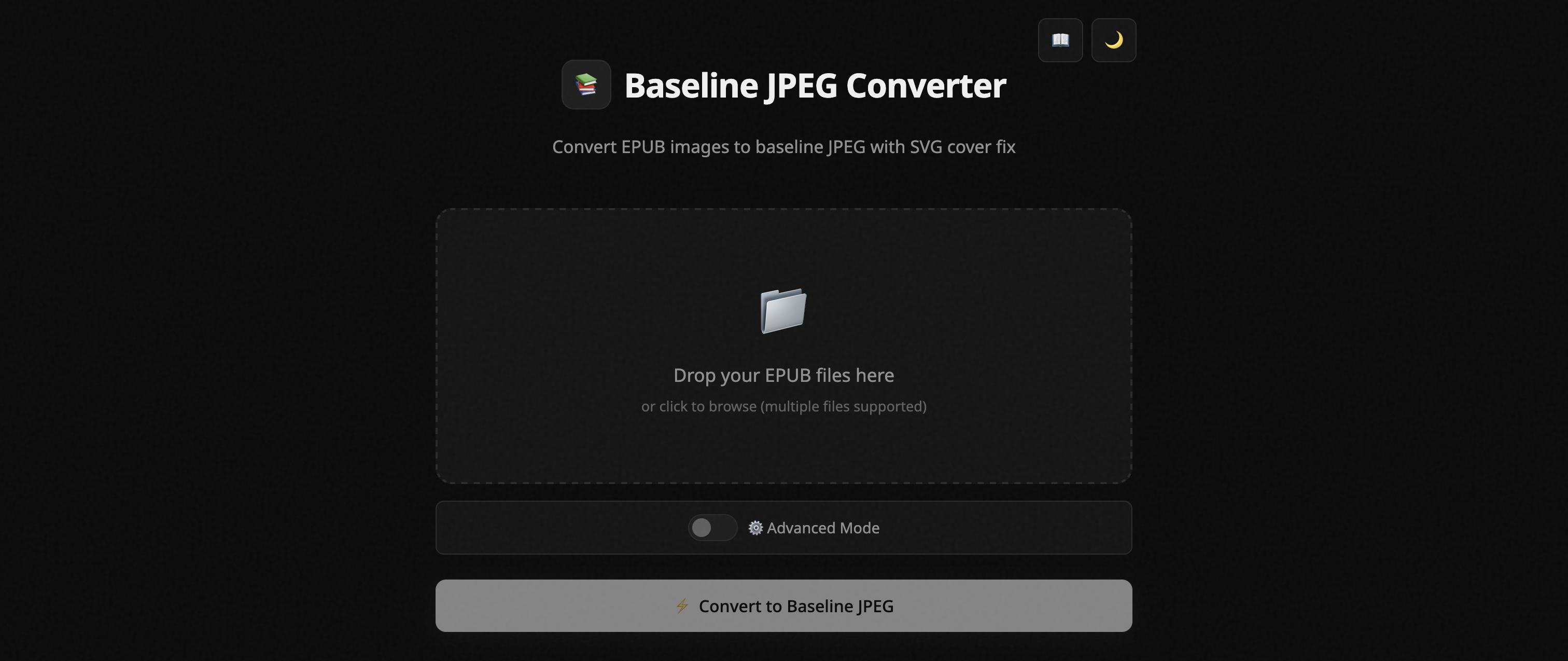
This tool converts images in EPUB files to baseline JPEG format, optimized for XTEink X4 It runs entirely in your browser — no files are uploaded to any server.
• Convert PNG, GIF, WebP, BMP to baseline JPEG
• Smart scaling to 480×800 — dramatically reduces file size
• Grayscale conversion for e-ink displays
• Rotate & split wide images for vertical screens (CW, CCW and vertical splits can be chosen separately for every image with varying percentage of overlap)
• Fix SVG covers, images inside EPUB and metadata issues.
• Batch processing multiple EPUBs
Simple Mode - Default
Drop your EPUB, click Convert, download. Uses sensible defaults: 85% quality, grayscale ON. No configuration needed — perfect for quick conversions.
⚙️ Advanced Mode
Toggle to reveal all settings: quality slider, image selection grid, rotate & split options, overlap controls, and detailed conversion logs. Use when you need fine control.
Get credit on your member profile
Log in or join the club to link future resource submissions to your public member ID — just like wallpapers.
Are you the author?
If this resource is yours, you can ask to be listed as the contributor on this page (same process as firmware maintainers). Member #001 receives the request.